Web Hosting
 Windows HostingBuilt for Windows apps and websites – stability, speed and flexibility
 Reseller HostingLaunch a hosting business without technical skills or expensive infrastructure
 Affiliate ProgramRefer customers and earn commissions from sales across our platform
 Domain SearchFind and secure a domain name in seconds with our quick lookup tool
 CO ZA Domains
 All DomainsExplore domain names from over 324 TLDs globally – all in one place
 Free Whois Lookup Tool South Africa
 VPS
VPS Website Builder
 Online ShopSet up a sleek eCommerce store with zero coding knowledge
 SSLs
SSLs SupportAccess help articles, how-tos, and everything about our services
 Blog
Blog Contact UsReach our team instantly via live chat or drop us an email
The Day Your Business Outgrew “Basic”Imagine you are running a growing boutique accounting firm in Sandton. Or perhaps you manage a busy online retail store shipping locally from Cape Town.
Everything starts with a simple website and a few emails. Then, suddenly, your software starts lagging during month-end.
You try to run your payroll app or a custom database, but your current hosting just can’t keep up. It feels like trying to run a marathon while breathing through a straw.
This is the exact moment most South African Small and Medium Enterprises (SMEs) realize they need more power. They need something that feels like a physical office server but without the massive electricity bill or the noise.

That “something” is a Windows Virtual Private Server, or VPS. Specifically, a Windows VPS South Africa based solution that keeps your data close to home.
At Truehost, we have seen thousands of local businesses make this jump. We know it feels technical and a bit scary at first.

But don’t worry. We are going to break this down into simple steps that even a Grade 8 student would find easy to follow.
Table of Contents
What Exactly is a Windows VPS?

To understand a VPS, think about an apartment building in the middle of Johannesburg. The whole building is one massive, powerful physical server.
Each apartment in that building is a “Virtual Private Server.” You have your own front door, your own kitchen, and your own walls.
Even though you share the building with neighbors, they cannot walk into your flat. If your neighbor has a loud party (or uses too much data), it doesn’t affect your peace and quiet.
A Windows VPS is simply this private digital space running the Windows Operating System. It looks and feels exactly like the desktop on your laptop or PC.
Why “Windows” is important for SA SMEs
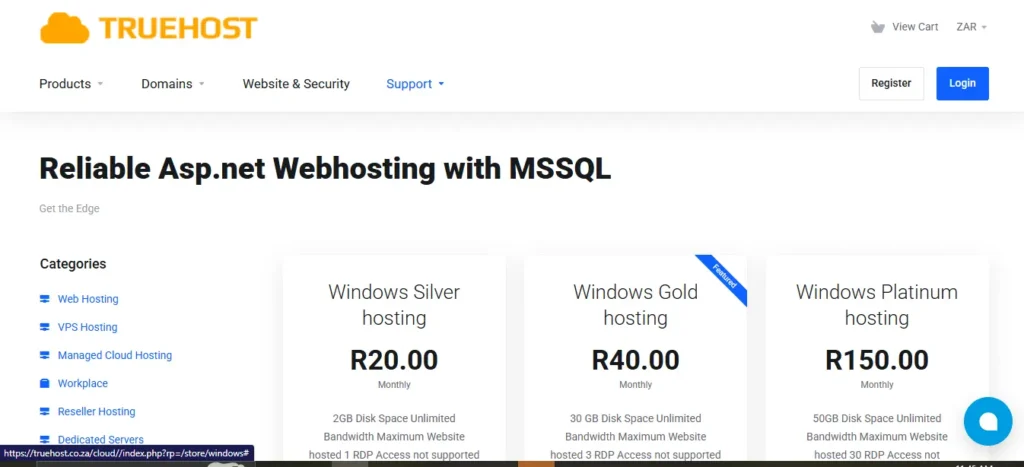
Most South African businesses already run on Microsoft. You likely use Word, Excel, and Outlook every single day.
A Windows VPS allows you to run specialized Windows-only software in the cloud. This includes things like Pastel Accounting, QuickBooks, or custom-built SQL databases.
Because it uses the familiar Windows interface, you don’t need to learn “code” or complex Linux commands. If you can click a “Start” button, you can manage a Windows VPS.
Why Choose a Windows VPS in South Africa?
You might wonder why you shouldn’t just buy a server from a giant company in the USA or Europe. The answer comes down to one word: Latency.
The Problem with the “Long Distance” Internet
When you host your server in London or New York, your data has to travel under the ocean through thousands of kilometers of cable. This creates a delay.
In the tech world, we call this “high latency.” For a South African user, this feels like a “laggy” mouse or a screen that freezes for a second.
By choosing a Windows VPS South Africa plan, your server is physically located in data centers in Johannesburg or Cape Town. The data only has to travel a few kilometers to reach your office.
The Benefits of Local Hosting
- Lightning Speed: Your apps respond instantly because the server is just down the road.
- POPIA Compliance: Hosting locally makes it much easier to follow South Africa’s data privacy laws.
- Local Support: When you call us at Truehost, you speak to someone who understands the local business climate.
- Rand Pricing: You don’t have to worry about the Dollar-to-Rand exchange rate ruining your budget.
How Does a VPS Compare to Other Hosting?
It is important to know where a VPS sits in the world of web hosting. We can compare it to transport to make it easier to visualize.
| Feature | Shared Hosting | Windows VPS | Dedicated Server |
| Analogy | A Public Bus | A Private Taxi | Your Own Private Jet |
| Performance | Slower (Shared) | Fast & Consistent | Extremely Powerful |
| Control | Very Limited | Full Administrator Access | Total Control |
| Cost | Very Cheap | Affordable (Best Value) | Expensive |
| Ease of Use | Very Easy | Moderate (Point & Click) | Difficult/Technical |
As you can see, for most SMEs, the VPS is the “Sweet Spot.” It gives you the privacy of a dedicated server without the “Private Jet” price tag.
Top 5 Use Cases for SA SMEs
How are local businesses actually using their Windows VPS South Africa? Here are the most common ways we see our clients at Truehost succeed.
1. Remote Accounting Software
Many firms host Pastel or Sage on a VPS. This allows their accountants to work from home while accessing the same central database securely.
2. Hosting “Forex” Trading Bots
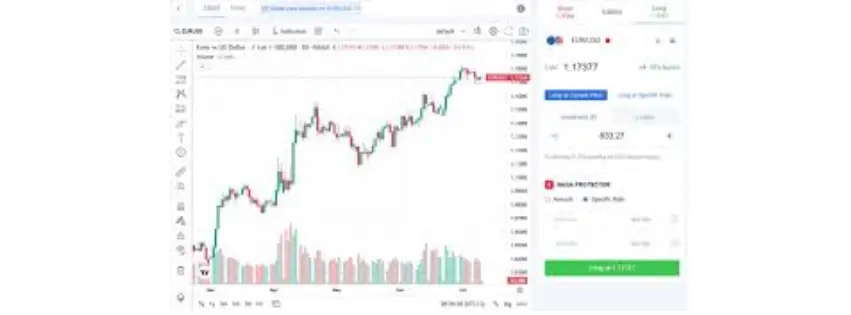
Traders in SA use Windows VPS systems because they need a computer that stays on 24/7. Even if your home has loadshedding, the data center has massive generators to keep your trades running.
3. Custom Business Applications
If you have a specialized app for your warehouse or medical practice, a VPS is the perfect home for it. It ensures the app is available to all your staff across different branches.
4. Professional Email Servers
If your business sends thousands of emails, a VPS gives you a “clean” IP address. This ensures your important business quotes don’t end up in the spam folder.
5. Web Development Environments
Developers use our Windows VPS to test new websites or apps before they go live. It provides a stable “sandbox” to play in without risking the main company site.
Understanding the Technical Specs (Made Simple)
When you look at our pricing page, you will see terms like RAM, CPU, and SSD. Here is what they mean for your business.
RAM (The Memory)
Think of RAM as the size of your office desk. The bigger the desk, the more files you can have open at the same time without getting cluttered.

CPU (The Brain)
The Central Processing Unit is the “worker” inside the server. More “Cores” mean the server can think faster and handle more tasks at once.
SSD Storage (The Filing Cabinet)
SSD stands for Solid State Drive. It is a very fast type of storage that allows your server to open files almost instantly.
Bandwidth (The Hallway)
This is the amount of data that can flow in and out of your server. Local bandwidth in South Africa is now faster than ever, making your server feel like it’s right in the room with you.
The “Loadshedding” Factor: Why the Cloud is Safer
We all know the struggle of the “Stage 4” or “Stage 6” schedule. For a business, power cuts are more than an inconvenience; they are a loss of income.
If you keep your company server in your office, it dies the moment the battery backup runs out. Your staff can’t work, and your customers can’t reach you.
At Truehost, our Windows VPS South Africa infrastructure is housed in “Tier 3” data centers. These facilities have massive industrial generators and huge battery rooms.
They are designed to stay online 99.9% of the time, regardless of what is happening with the national grid. By moving to a VPS, you are effectively “loadshedding-proofing” your business data.
How to Set Up Your First Windows VPS
Setting up your server is much easier than most people think. Here is the typical “Truehost Journey” for a new SME owner.
- Choose a Plan: Select a package that fits your budget and needs (usually starting with 2GB or 4GB of RAM).
- Select Your Version: Choose which version of Windows Server you want (like Windows Server 2019 or 2022).
- Complete Payment: Pay safely in Rands using your preferred local payment method.
- Receive Your Details: We send you an IP address, a username (usually “Administrator”), and a secure password.
- Remote Desktop Connection: Open the “Remote Desktop” app on your computer, type in the IP, and hit connect.
Suddenly, a new Windows desktop appears on your screen. You are now “inside” your server in the data center!
Security Tips for Your South African VPS
Since your server is connected to the internet, you must keep the “digital doors” locked. We take security seriously at Truehost, and you should too.
- Use Strong Passwords: Never use “Admin123.” Use a mix of letters, numbers, and symbols.
- Enable Windows Firewall: This acts like a security guard that checks everyone trying to enter your server.
- Install an Antivirus: Just like your home PC, your server needs protection from malware.
- Keep Software Updated: Regularly run “Windows Update” to patch any security holes.
- Use VPNs for Access: For extra security, you can set it so only people on your private network can see the server.
Why Truehost is the Right Partner for Your Journey
We understand that you have many choices for a Windows VPS South Africa. But we at Truehost offer more than just a server; we offer a partnership.
We have spent years building a network that is optimized for the local SME. We know that every cent counts when you are growing a business.
Our servers are priced to be the most competitive in the country. We also make sure our support team is ready to help you when you get stuck.
We don’t just give you a login; we give you the foundation to build your digital empire. Whether you are in Polokwane or Port Elizabeth, we bring the cloud to your doorstep.
Common Questions (FAQ)
1. Do I need a Windows License?
Yes, but the good news is that we usually include the license cost in your monthly VPS fee. You don’t have to go out and buy a separate box of software.
2. Can I upgrade my VPS later?
Absolutely. As your business grows from 5 staff to 50, we can add more RAM or CPU power with just a few clicks. There is no need to move your data.
3. Is it hard to move my data to a VPS?
If you can copy and paste a file on your computer, you can move data to a VPS. You can also use tools like Google Drive or Dropbox to sync your files easily.
4. What is the difference between Windows Server and my home Windows 11?
Windows Server is built to be “always on” and handle many users at once. It doesn’t have the “bloatware” or games that come with a home PC.
Conclusion: Take Your SME to the Next Level
The world of business is moving faster every day. To keep up, your South African SME needs tools that are reliable, fast, and secure.
A Windows VPS South Africa provides the perfect balance of power and price. It stops you from worrying about hardware and lets you focus on your customers.
Don’t let slow servers or power cuts hold your dreams back. Move your business to a professional environment where it has the room to breathe and grow.
Are you ready to see the difference a local server can make? We are here to help you every step of the way.