Web Hosting
 Windows HostingBuilt for Windows apps and websites – stability, speed and flexibility
 Reseller HostingLaunch a hosting business without technical skills or expensive infrastructure
 Affiliate ProgramRefer customers and earn commissions from sales across our platform
 Domain SearchFind and secure a domain name in seconds with our quick lookup tool
 CO ZA Domains
 All DomainsExplore domain names from over 324 TLDs globally – all in one place
 Free Whois Lookup Tool South Africa
 VPS
VPS Website Builder
 Online ShopSet up a sleek eCommerce store with zero coding knowledge
 SSLs
SSLs SupportAccess help articles, how-tos, and everything about our services
 Blog
Blog Contact UsReach our team instantly via live chat or drop us an email
Your .co.za domain is live but visitors are landing on the wrong page, or your old domain is sitting idle losing you traffic. Domain forwarding fixes this in minutes.
This guide walks you through everything you need to set up domain forwarding for your South African .co.za business website step by step, no tech background needed.
Table of Contents
What Is Domain Forwarding?

Domain forwarding sends visitors from one web address to another automatically. When someone types your old or extra domain into a browser, they land on your main site instead.
Think of it like call forwarding on your phone the call still reaches you, just through a different number.

Step-by-Step: How to Set Up Domain Forwarding for Your .co.za Domain
Step 1 ; Log Into Your Registrar Account
Go to your registrar’s website and sign in. Look for a section called “My Domains”, “Domain Manager”, or “Domain Portfolio”.
Click on the .co.za domain you want to forward.

Step 2 ; Find the Forwarding or Redirect Settings
Inside your domain settings, look for one of these options:
- Domain Forwarding
- URL Redirect
- Web Forwarding
- Redirect Manager
The label varies by registrar, but it lives in the same area as your DNS settings.
Step 3 ; Add Your Forwarding Rule
You will see a form asking for a few details. Fill in the following:
| Field | What to Enter |
|---|---|
| Source domain | The .co.za domain you are forwarding FROM |
| Destination URL | The full URL you want to send visitors TO |
| Redirect type | Choose 301 (permanent) for most cases |
| Include subdomains? | Tick yes if you want www.yourdomain.co.za to also forward |
Example setup:
- Source: oldbusiness.co.za
- Destination: https://www.newbusiness.co.za
- Type: 301 Permanent
Step 4 ; Save and Apply the Settings
Click Save, Apply, or Confirm whichever button your registrar uses. The system will now apply the forwarding rule to your domain.
Some registrars show a green confirmation tick. Others send you a confirmation email.
Step 5 ; Wait for DNS Propagation
DNS changes take time to spread across the internet. This is called propagation.
| Propagation Time | What It Means |
|---|---|
| 0–30 minutes | Changes may start working for some users |
| 1–4 hours | Most users will see the change |
| Up to 48 hours | Full global propagation (rare for simple forwards) |
Do not panic if the redirect does not work immediately. Give it a few hours.
Step 6 ; Test Your Forwarding
Once a few hours have passed, open a browser and type in your source domain. You should land on your destination URL automatically.
Use these free tools to double-check:
| Tool | What It Does |
|---|---|
| wheregoes.com | Shows the full redirect chain |
| redirect-checker.org | Confirms redirect type (301 or 302) |
| Google Search Console | Check if Google sees the new URL |
| dnschecker.org | Shows propagation status across global servers |
How to Set Up Domain Forwarding Using cPanel (For Hosted Domains)
If your domain is connected to a hosting account, your registrar might direct you to cPanel to manage forwarding. Here is how to do it there.
Step 1 ; Log Into cPanel
Go to yourdomain.co.za/cpanel or use the link from your hosting provider’s welcome email.
Step 2 ; Go to the Redirects Section
Scroll down to the Domains section. Click on Redirects.
Step 3 ; Choose Your Redirect Type
You will see a dropdown menu with two options:
- Permanent (301)
- Temporary (302)
Choose Permanent (301) for most business use cases.
Step 4 ; Fill In the Redirect Details
| Field | What to Enter |
|---|---|
| Type | 301 Permanent |
| Domain (from) | Select your .co.za domain from the dropdown |
| Redirects to | Paste the full destination URL |
| Wild Card redirect | Tick this to forward all subpages too |
Step 5 ; Click Add
Hit the Add button. cPanel confirms the redirect with a success message at the top of the page.
Common Domain Forwarding Problems (And How to Fix Them)
Things do not always go smoothly. Here are the most common issues South African business owners face:
i) The redirect is not working after 24 hours
Fix: Clear your browser cache and cookies. Then test using a different browser or device. Also check dnschecker.org to confirm propagation is complete.
ii) The forwarding creates a redirect loop
This happens when Domain A forwards to Domain B, which forwards back to Domain A.
Fix: Check both domains’ settings and make sure only one is doing the forwarding.
iii) The page shows a “Too Many Redirects” error
Fix: This usually happens with SSL/HTTPS conflicts. Make sure your destination URL uses https:// and that your SSL certificate is active. Contact your hosting provider if unsure.
iv) Only the homepage redirects — not subpages
Fix: Enable the wildcard or include subdomains option in your forwarding settings. This sends all pages under the domain, not just the root URL.
v) Google is not indexing the new domain
Fix: Submit your new domain to Google Search Console and request indexing. Also make sure you used a 301 redirect, not a 302.

Why South African Businesses Use Domain Forwarding
Many local businesses register multiple .co.za domains to protect their brand or catch traffic from common misspellings.
Here are the most common reasons businesses in South Africa set up domain forwarding:
| Reason | Example |
|---|---|
| Redirect an old domain to a new one | oldbrand.co.za → newbrand.co.za |
| Protect brand variations | mybusiness.co.za → mybusiness.com |
| Catch common misspellings | buisness.co.za → business.co.za |
| Shorten a URL for marketing | promo.co.za → mybusiness.co.za/sale |
| Combine multiple sites under one brand | shop.co.za → mybusiness.co.za/shop |
Types of Domain Forwarding You Need to Know
Before you start, know which type of forwarding fits your goal.
1) Standard (301) Permanent Redirect
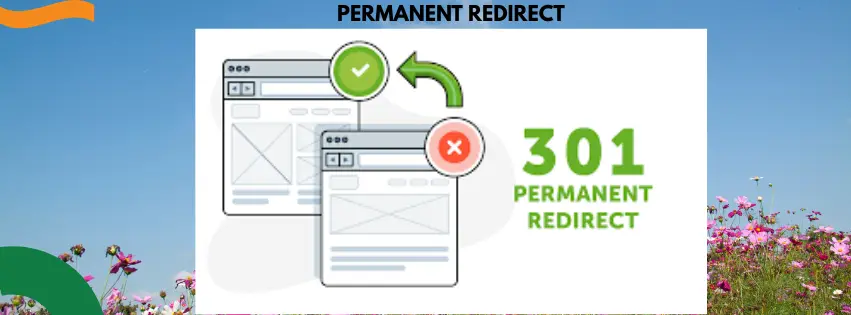
This tells browsers and Google that your domain has moved permanently. It passes SEO value to the destination domain.
Best for: Rebranding, moving to a new domain, or consolidating websites.
2) Temporary (302) Redirect
This tells browsers the move is short-term. It does not pass full SEO value.
Best for: Promotions, seasonal campaigns, or testing a new site.
3) URL Masking (Cloaking)
The visitor sees your original domain in the browser bar, but the content loads from another site. Search engines generally dislike this method.
Best for: Very limited use cases — avoid it for SEO purposes.
What You Need Before You Start
Make sure you have these ready:
- [ ] Access to your domain registrar account (where you bought your .co.za)
- [ ] The destination URL you want to forward to
- [ ] Login details for your hosting control panel (if needed)
- [ ] A few minutes — this process is quick
Who Manages .co.za Domains in South Africa?
In South Africa, .co.za domains fall under ZACR (the ZA Central Registry). You do not register directly with ZACR you go through an accredited registrar.
Here are the most widely used registrars for South African businesses:
| Registrar | Website |
|---|---|
| Afrihost | afrihost.com |
| Xneelo (formerly Hetzner) | xneelo.co.za |
| 1-grid | 1-grid.com |
| Web4Africa | web4africa.co.za |
| Domains.co.za | domains.co.za |
Each registrar has its own control panel, but the process is similar across all of them.
What Happens to Your SEO When You Forward a .co.za Domain?
This is the question most business owners ask. The short answer: a 301 redirect protects most of your SEO value.
Here is what to expect:
| Factor | What Happens With a 301 Redirect |
|---|---|
| Google rankings | Transfer to the new domain over weeks/months |
| Backlinks | Their value passes to the new URL |
| Indexed pages | Google re-indexes under the new domain |
| Traffic | May dip briefly, then recover |
A 302 redirect does not pass SEO value. Always use 301 unless the change is truly temporary.
Forwarding a .co.za Domain to a WhatsApp Number or Social Media Page
Some small businesses in South Africa do not have a website. They forward their domain to a WhatsApp chat link or a Facebook/Instagram page instead.
This works fine for basic forwarding. Here is how:
To forward to WhatsApp:
- Destination URL:
https://wa.me/27XXXXXXXXX(replace with your number in international format)
To forward to a Facebook page:
- Destination URL:
https://www.facebook.com/yourbusinesspage
To forward to Instagram:
- Destination URL:
https://www.instagram.com/yourbusinesshandle
Set this up the same way as a regular domain forward — just paste the social link as the destination URL.
Domain Forwarding vs DNS Records — What Is the Difference?
These two things sound similar but work differently.
| Feature | Domain Forwarding | DNS Records (A/CNAME) |
|---|---|---|
| What it does | Sends visitors to a different URL | Points domain to a server IP |
| Browser URL bar | Shows destination URL | Shows original domain |
| Used for | Redirecting to another site | Hosting a website on a server |
| SEO impact | Passes value with 301 | No redirect, just resolution |
Use domain forwarding when you want to redirect to a different address. Use DNS records when you are connecting your domain to a hosting server.
Quick Checklist: Domain Forwarding Setup for .co.za
Use this before you finish:
- [ ] Logged into registrar account
- [ ] Found the domain forwarding or redirect section
- [ ] Entered the correct source and destination URLs
- [ ] Selected 301 permanent redirect (for long-term changes)
- [ ] Enabled wildcard/subdomain forwarding if needed
- [ ] Saved the settings
- [ ] Waited for DNS propagation (up to 24 hours)
- [ ] Tested the redirect in a browser
- [ ] Verified with a redirect checker tool
- [ ] Submitted new URL to Google Search Console (if SEO matters)
Final Word
Domain forwarding for your South African .co.za business is one of the quickest wins you can make online. It takes less than 10 minutes to set up and protects your brand, your traffic, and your SEO.
Follow the steps above, use a 301 redirect for permanent moves, and test everything before you call it done. Your visitors will reach the right place every time without even noticing the switch.