Web Hosting
 Windows HostingBuilt for Windows apps and websites – stability, speed and flexibility
 Reseller HostingLaunch a hosting business without technical skills or expensive infrastructure
 Affiliate ProgramRefer customers and earn commissions from sales across our platform
 Domain SearchFind and secure a domain name in seconds with our quick lookup tool
 CO ZA Domains
 All DomainsExplore domain names from over 324 TLDs globally – all in one place
 Free Whois Lookup Tool South Africa
 VPS
VPS Website Builder
 Online ShopSet up a sleek eCommerce store with zero coding knowledge
 SSLs
SSLs SupportAccess help articles, how-tos, and everything about our services
 Blog
Blog Contact UsReach our team instantly via live chat or drop us an email
You are paying the foreign exchange tax every single month. Let us show you how to stop that today.
If you want to migrate from Google Workspace South Africa to a local provider, you came to the right place. We are going to walk you through every single click.
migrate from google workspace south africa does not have to be complicated. In fact, we designed this process to take you less than an hour of actual work.
Here is exactly how to switch from Google Workspace without losing a single email. Follow these steps in order. Do not skip around.

Table of Contents
What You Need Before You Start
Grab these three things before we begin:
- Your Google Workspace admin login (the email address you use to manage your team)
- Your domain name login (where you bought your website address, like yourbusiness.co.za)
- About 45 minutes of quiet time (do this after hours on a Friday)
Ready? Let us go.
Step 1: Export Your Data from Google Workspace

We never delete anything until you are 100% sure the switch worked. So let us back everything up first.
Log into your Google Workspace admin panel at admin.google.com. Use the super admin account – the one that can access everything.
Click on Account > Data Export. Google calls this “Takeout” sometimes.
Select only Mail and Contacts for now. If you select everything, the download will take three days. Trust me on this one.
Click Create Export. Google will prepare your files. This takes anywhere from 15 minutes to 3 hours, depending on how old your account is.

Google will email you a link when your export is ready. Download the ZIP file to your computer and save it somewhere safe.
Pro tip: Also export your calendar events if you use Google Calendar heavily. You will thank me later.
Step 2: Sign Up for Truehost Workplace
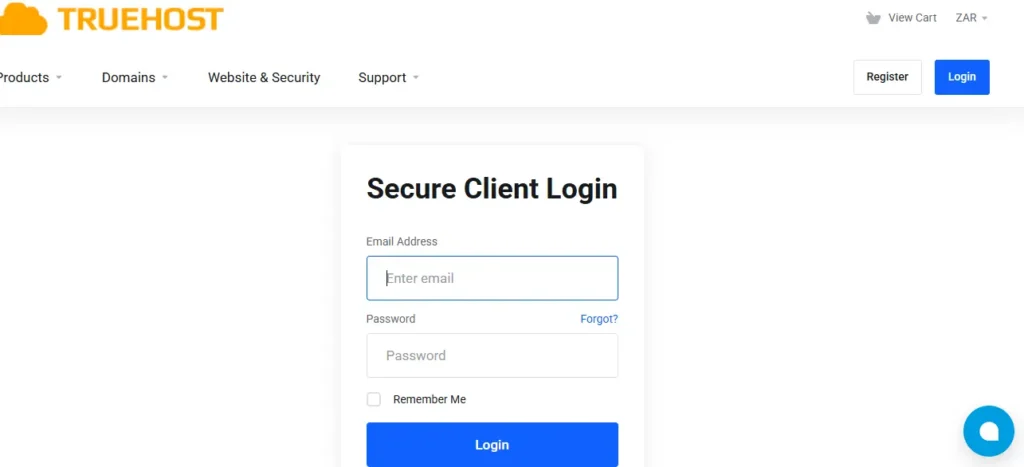
Head over to our website at truehost.co.za. Look for the Workplace section.
We have three plans. Here is what they cost in April 2026:
| Plan | Price | Mail Storage | Drive Storage |
|---|---|---|---|
| Starter | R8/month | 3GB | 10GB |
| Business | R35/month | 10GB | 50GB |
| Professional | R70/month | 100GB | 200GB |
The Starter plan at R8 is perfect if you are a freelancer or just starting out . It gives you a professional email address like [email protected].
For most teams with 2 to 10 people, I recommend the Business plan at R35 per user. You get 10GB of email storage per person and our full suite of collaboration tools .
Click Sign Up and enter your domain name.
You have two options here:
- Option A: Your domain is already with us. Great. Select it from the dropdown.
- Option B: Your domain is with someone else. No problem. Select “I will use my existing domain.”
Complete the checkout. We bill in Rands. No foreign exchange fees. No surprises .
Step 3: Create Your Team Mailboxes
Now we need to create email accounts for each person on your team.
Log into your Truehost control panel. We call this cPanel. You will find the login details in your welcome email.
Look for the Email Accounts icon under the Email section. Click it.
Click Create. Enter the name of your first employee. For example: “thabo” for [email protected]
Set a strong password. We recommend at least 12 characters with numbers and symbols.
Set the storage quota. For the Business plan, you get 10GB per user. That is roughly 100,000 emails.
Click Create Account. Repeat this for every person on your team.
Write down each email address and temporary password on a piece of paper. You will hand these to your team after the DNS changes are done.
Step 4: Configure Your DNS Records (The Critical Step)
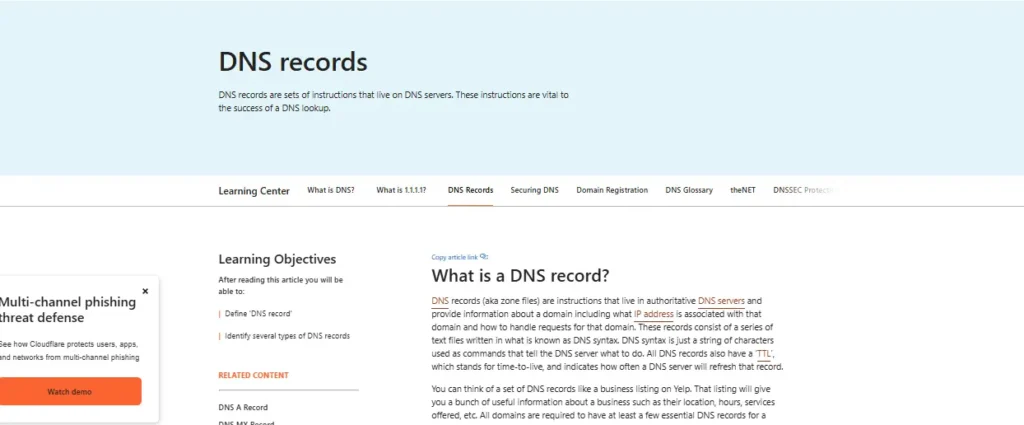
This is where most people get scared. Do not be. DNS is just the phonebook of the internet. We are telling the world to send your mail to us now, not Google.
DNS stands for Domain Name System. Think of it like a contact list for the internet. When someone sends an email to [email protected], the internet checks the DNS to know which server to deliver that email to.
Right now, your DNS says “send mail to Google.” We need to change it to say “send mail to Truehost.”
Here is exactly how to do it:
Step 4.1: Log into your Truehost cPanel
Use the credentials from your welcome email.
Step 4.2: Find the Zone Editor
Under the Domains section, click Zone Editor. Some versions call this Simple DNS Editor .
Step 4.3: Select your domain name
Choose your domain from the dropdown menu.
Step 4.4: Delete the old Google MX records
Look for entries that start with ASPMX.L.GOOGLE.COM. These are Google’s mail servers.
Click Delete next to each one. Do not worry – we are not deleting your Google account. We are just telling the internet to stop sending new mail there.
Step 4.5: Add our MX record
Click Add Record. Select MX Record from the type dropdown .
Fill in the form like this:
- Name: Leave this blank or enter your domain name (yourbusiness.co.za)
- Priority: Enter
0 - Destination: Enter
mail.yourbusiness.co.za(replace yourbusiness.co.za with your actual domain)
Click Save Record.
Step 4.6: Add the A Record for mail
This is the step that 80% of people forget. Do not be one of them.
Go back to the Zone Editor or Simple DNS Editor.
Click Add Record. Select A Record from the type dropdown.
Fill in the form like this:
- Name: Enter
mail - Address: Enter the IP address from your welcome email (it looks like 123.456.789.0)
What is an A Record? An A Record links a name (like “mail”) to an IP address. Without this, when someone sends an email to mail.yourbusiness.co.za, the internet does not know where to find that server.
Step 5: Wait for DNS Propagation
DNS changes are not instant. They spread across the internet like ripples in a pond. This is called propagation.

Most changes complete within 2 hours. But some internet providers take up to 48 hours to catch up .
During this window, some of your emails will go to Google, and some will come to us. That is normal. Do not panic.
Keep your Google Workspace account active during this time. We will cancel it only after we confirm everything is working.
Step 6: Test Your New Email Setup
After 2 hours, run these three tests:
Test 1: Send an email from your Truehost account
Log into webmail at mail.yourbusiness.co.za. Use the email account you created earlier.
Send a test email to your personal Gmail address. Does it arrive? Good.
Test 2: Reply to that email
From your Gmail account, reply to the test email. Does the reply show up in your Truehost inbox? Good.
Test 3: Check your old Google account
Log into your old Google Workspace Gmail. Is new mail still arriving there? It should stop as DNS propagation completes.
If mail is still going to Google after 24 hours, double check your MX records. Make sure you deleted all the Google entries.
Why We Built Truehost for South African Businesses
Before we start clicking buttons, let me tell you why we built Truehost Workplace.
We saw small business owners in Sandton, Cape Town, and Durban getting crushed by the exchange rate . You sign up for Google Workspace at $6 per user. Three months later, the Rand drops to R19.50, and your bill jumps by 15% overnight.
That is not fair. That is not sustainable.
So we built a google workspace alternative sa that bills in Rands. Our prices do not dance with the Dollar. R35 per user stays R35 per user .
Let me show you what you actually save:
| Feature | Truehost Workplace | Google Workspace |
|---|---|---|
| Monthly Cost (5 users) | R175.00 | ~R750.00 – R850.00 |
| Currency | South African Rand | US Dollar |
| Storage per User | 10GB Mail + 50GB Drive | 30GB Shared |
| Server Location | Johannesburg (Teraco) | Europe or USA |
| Support | WhatsApp (minutes) | Tickets (hours/days) |
For a 5-person team, you keep roughly R6,500 per year in your pocket . That is real money. That is a new laptop. That is two months of electricity for your office.
Now let me show you exactly how to make the switch.
The Complete Migration Checklist to Migrate from Google Workspace South Africa
Print this page. Check off each box as you complete it.
One week before migration:
- Tell your team you are switching email providers
- Export your Google data using Takeout
- Save all important emails as PDFs or local files
- Download your contacts as a CSV file
Migration day (Friday after 5 PM):
- Sign up for Truehost Workplace
- Create mailboxes for each team member
- Delete old Google MX records from DNS
- Add new Truehost MX record
- Add the “mail” A Record with the IP address
- Take a screenshot of your DNS settings (for backup)
48 hours after migration:
- Send a test email from your Truehost account
- Verify replies come back to Truehost
- Check that no new mail arrives at Google
- Update email settings on all phones and computers
- Cancel your Google Workspace subscription
How to Set Up Email on Your Phone
Your team will ask you how to set up email on their iPhones and Samsung phones. Here are the settings they need:
For iPhone (Mail app):
- Go to Settings > Mail > Accounts > Add Account
- Select “Other” then “Add Mail Account”
- Enter your name, email address, and password
- In the incoming server section, enter:
mail.yourbusiness.co.za - In the outgoing server section, enter
: mail.yourbusiness.co.za - Toggle SSL to ON
For Samsung/ Android (Email app):
- Open the Email app
- Tap the three lines menu > Settings > Add account
- Select “Other”
- Use the same
mail.yourbusiness.co.zafor both incoming and outgoing
We send detailed setup guides in your welcome email. Keep that email handy.
Common Problems and How to Fix Them
Problem: My emails are bouncing back
Wait 4 hours. DNS is slow sometimes. If emails still bounce after 4 hours, check that “mail” A Record again. That is usually the problem.
Problem: Some emails go to Google, some go to Truehost
This means DNS propagation is still happening. Give it 24 hours. Do not cancel Google yet.
Problem: I forgot my Truehost cPanel password
Click “Forgot Password” on the login page. We will send a reset link to your email address.
Problem: My team cannot log into webmail
Make sure they are using the full email address ([email protected]) as their username, not just “thabo”.
Frequently Asked Questions
Q: How long does the migration take?
The active work takes about 45 minutes. DNS propagation takes 2 to 48 hours. We recommend starting on a Friday afternoon so everything settles over the weekend.
Q: Will I lose any emails during the switch?
No. Keep your Google Workspace active for 30 days after switching. If any emails go to Google during the DNS change, they will be there waiting for you.
Q: What happens to my old Google Drive files?
Your files stay in Google Drive. You can still access them with your Google account. We recommend downloading anything important using Google Takeout before you cancel.
Q: Does Truehost have a version of Google Docs?
Q: Can I keep using my Outlook or Thunderbird?
Yes. We support IMAP and SMTP. Just use mail.yourbusiness.co.za as your server address.
Q: What if I have more than 50 employees?
Our Professional plan scales to any size. Contact our sales team through WhatsApp for custom pricing.
Q: How do I cancel my Google Workspace subscription?
After your DNS changes are complete and all your mail is coming to Truehost, log into your Google Admin panel. Go to Billing > Subscriptions > Cancel. Google will ask why. Tell them you found a google workspace alternative sa that costs 80% less.